Maximizing Productivity and Savings: A Comprehensive Guide to Home Offices
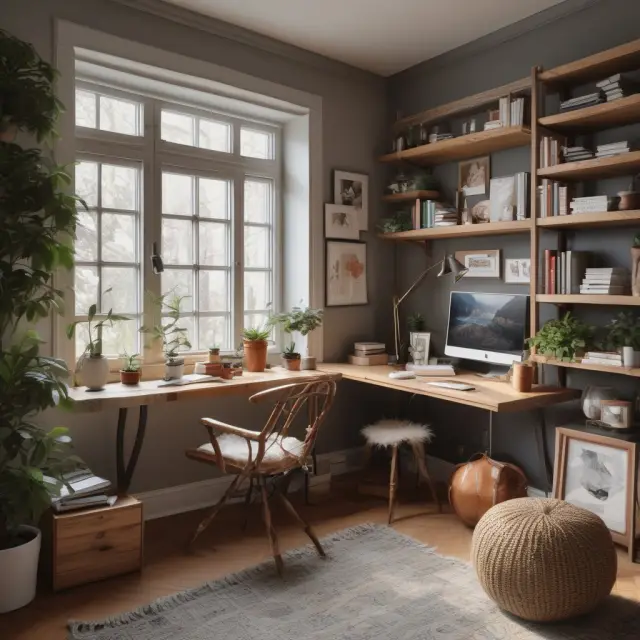
Maximize productivity & savings with this comprehensive guide to creating an effective home office setup, including benefits, tech, eligibility, & more.
Understanding the Concept of a Home Office
A home office represents a separate, functional workspace in one’s residence, dedicated to professional activities. Whether someone is self-employed or telecommuting for an employer, the concept of a home office has gained immense popularity due to its numerous benefits and flexibility it offers. The Internal Revenue Service (IRS) recognizes this setup as eligible for tax deductions when certain conditions are met.
The Difference Between Self-Employment vs. Working for an Employer:
To clarify, the distinction between self-employed individuals and those working for an employer plays a significant role in determining eligibility for a home office tax deduction. Self-employed individuals include consultants, freelancers, independent contractors, or small business owners, whereas employees are those who work for an organization under a fixed employment contract.
Self-Employment:
For self-employed individuals or business owners, the home office setup is essential as it represents their primary place of business. Setting up an organized and productive workspace in one’s home is crucial to their professional success and can lead to tax savings through the home office deduction.
Working for an Employer
Employees, however, are generally not eligible for the home office tax deduction as they do not have the legal right to claim the business use of their home due to their employment agreement with their employer. However, the concept still holds value for employees in terms of time and cost savings as they work from a convenient location, allowing them to manage their work schedule more effectively.
Key Takeaways
A home office is an essential component for many individuals who are self-employed or telecommuting for their employer, offering a space that promotes productivity, organization, and professionalism. For those who are self-employed, the tax benefits of a home office can provide substantial savings. To claim this deduction, it’s crucial to understand the eligibility requirements and adhere to IRS guidelines.
Stay tuned for the next section on creating a functional home office!

Creating a Functional Home Office
A home office is a space dedicated to official business activities within a person’s residence. For those who are self-employed or work remotely for an employer, a functional and comfortable home office can make all the difference in maximizing productivity and saving time and money. In this section, we will discuss essential components of a productive home workspace and how to set it up effectively.
1. Essential Home Office Equipment: To create a functional home office, it is crucial to invest in basic equipment such as a desk and ergonomic chair. These pieces of furniture can help ensure comfort and proper posture while working long hours. Additionally, a reliable computer or laptop, high-speed internet connection, and essential software, like Zoom, should be considered for seamless communication with colleagues and clients.
2. Creating the Perfect Atmosphere: A comfortable and visually appealing home office can lead to increased focus and productivity. Consider incorporating natural light by placing your workstation near a window or adding plants for a calming effect. Personal touches, such as family photos, inspirational quotes, or motivational posters, can make the space more enjoyable and help reduce stress levels.
3. Organization: A clutter-free workspace is essential for maintaining focus and efficiency. Implementing organization strategies like using drawer dividers, shelving, and labeling files can help you easily find documents and materials as needed. Additionally, implementing a paperless system or scanner can significantly reduce the amount of physical paper clutter.
4. Ergonomic Considerations: Sitting for extended periods can lead to health issues such as back pain and eye strain. Ensuring ergonomic furniture and proper positioning is essential when designing a functional home office. Adjustable chairs, footrests, and monitor arms are just a few examples of items that can help make your workspace more comfortable.
5. Space Optimization: Maximizing space in a home office is crucial for creating a functional yet attractive workspace. Consider vertical storage solutions like bookshelves or wall-mounted organizers to save floor space. Additionally, multifunctional furniture pieces, such as a storage ottoman or expandable table, can help you make the most of your available space.
6. Technology and Connectivity: In today’s digital world, reliable technology and connectivity are essential for remote work productivity. Investing in high-speed internet and ensuring proper wiring for all devices is crucial to maintain a stable connection. Additionally, backup power sources like an uninterruptible power supply (UPS) can help prevent data loss during power outages.
By investing time and resources into creating a functional home office, you’ll be well on your way to maximizing productivity while saving both time and money by eliminating lengthy commutes. In the next section, we will discuss the advantages of working from a home office in more detail, including tax benefits and improved work-life balance.
In conclusion, creating a functional home office is an essential investment for those who are self-employed or work remotely for an employer. By focusing on the essentials, such as ergonomic furniture, reliable technology, and a comfortable atmosphere, you’ll be able to maximize productivity while enjoying the convenience and savings of working from home. In the next section, we will explore the numerous advantages of working from a home office in more detail.
The Role of Technology in Home Offices
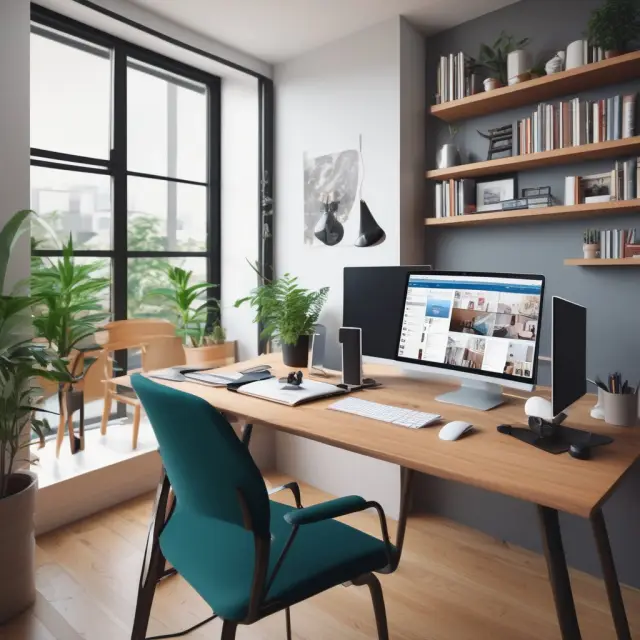
Technology has revolutionized the way we communicate, connect, and work from our homes. In today’s world, working remotely is no longer a luxury; it has become a necessity for many individuals and businesses. With advances like Zoom, Microsoft Teams, Google Meet, and other virtual meeting platforms, employees can now collaborate with colleagues in real-time, regardless of geographical boundaries.
One such application that has seen tremendous success during the COVID-19 pandemic is Zoom. This popular video conferencing tool launched in January 2013 generated $4 billion in revenue in 2021, a whopping 53% increase from the previous year (Statista, 2022). Zoom and similar tools have become essential for businesses that have had to adapt to remote work environments.
Setting up a home office means ensuring reliable technology is present to support your work needs. A functional home office requires a high-speed internet connection, a dependable computer or laptop, and an appropriate setup for video conferencing software. Incorporating ergonomic design principles also plays an important role in optimizing comfort and productivity.
Aside from video conferencing tools like Zoom, other applications that can enhance your home office experience include project management software (e.g., Trello, Asana), communication tools (Microsoft Teams, Slack), and cloud storage services (Google Drive, Dropbox). These technologies enable seamless collaboration, organization, and sharing of information among team members.
The shift to remote work has not only transformed the way we communicate but also provided a plethora of advantages. Eliminating lengthy commutes saves both time and money, allowing individuals to invest in their personal and professional growth. With the flexibility to create a comfortable home office setup, employees can optimize their workspace for maximum productivity and focus, ultimately contributing to improved work-life balance and overall wellness.
As we continue to navigate this new normal, it’s crucial to ensure our homes serve not only as living spaces but also as productive work environments that accommodate the latest technological advancements.

Advantages of Working from a Home Office
The concept of working from home has gained significant traction in recent years, especially since the onset of the COVID-19 pandemic. With advancements in technology and remote work tools like Zoom, it’s now possible for individuals to establish functional and productive home offices to carry out their professional duties. In this section, we will explore the numerous advantages that come with setting up a home office.
First and foremost, working from a home office can lead to substantial time savings. Eliminating lengthy commutes can save individuals between $600 and $6,000 annually in travel-related expenses such as gasoline, public transportation fares, or vehicle maintenance costs. Additionally, employees have the flexibility to manage their work schedules according to personal needs, fostering a better work-life balance that contributes to improved overall health and wellness (both physical and mental).
Another significant advantage is the potential for tax deductions through the IRS’s Home Office Deduction. This benefit can be claimed by self-employed individuals, independent contractors, and small business owners who exclusively and regularly use part of their home or a separate structure on their property as their primary place of business. For those employed by companies, it’s essential to note that they are not eligible for this deduction.
Employers also stand to benefit from allowing employees to work remotely from their home offices. By enabling remote work, businesses save costs on rent, utilities, and operational expenses related to maintaining a physical office space. These savings can then be reinvested in other areas of the business or passed on to customers in the form of lower prices.
In conclusion, the advantages of working from a home office are numerous. From time savings to tax deductions, improved work-life balance, and cost savings for both employees and employers, it’s clear that this setup offers a flexible and efficient alternative to traditional office environments.

IRS Rules for the Home Office Deduction
The IRS (Internal Revenue Service) offers a significant advantage to those working from a home office through the Home Office Deduction, providing an opportunity to claim specific expenses related to that space. To be eligible for this tax benefit, there are essential qualifications and eligibility requirements taxpayers must meet.
Eligibility Requirements
The space must exclusively and regularly be used for business purposes as the primary place of business for a self-employed individual or small business owner. For those who work remotely from home for an employer, it does not qualify them for the home office deduction but can still help create a productive workspace. The IRS permits an individual to claim space in their residence if it is used exclusively and regularly for administrative or managerial activities related to a trade or business.
Qualification Rules
The taxpayer must have a separate, designated area within the home for conducting business, which can include a portion of a room, a floor, an entire level, or even a separate structure on their property. The chosen space should be used only for business activities and must not serve as a multifunctional area.
Calculating Home Office Expenses
To calculate the home office expenses, taxpayers are required to determine the percentage of their home that is dedicated to business use using one of two methods: 1) the regular method or 2) the simplified method. The regular method calculates the total square footage of the home and divides it by the total square footage of both the home and the office space to obtain a percentage. Alternatively, the simplified method allows taxpayers to use a standard rate set by the IRS for computational ease, currently set at $5 per square foot up to 300 square feet.
Deductible Expenses
Expenses related to the business usage of the home office can include rent, mortgage interest, property taxes, insurance, repairs, utilities, and depreciation. Other indirect expenses like telephone, internet access, and office supplies may also be claimed based on a reasonable percentage related to the square footage of the home office space.
Form 8829: Expenses for Business Use of Your Home
Taxpayers looking to claim a home office deduction must file Form 8829 with their annual tax return. This IRS form outlines specific instructions for calculating and reporting expenses related to the business use of a home, including detailed steps on how to calculate the percentage of the home used for business activities and how to allocate and record expenses using one of the two methods previously discussed.
Understanding the rules outlined by the IRS is essential for those considering setting up or expanding their home office while maximizing savings and tax benefits. As remote work continues to gain popularity, having a well-equipped and functional workspace at home can offer numerous advantages, both for individuals and businesses alike.

Employer Benefits from a Remote Workforce
One of the most significant advantages of having employees work from their home offices is the cost savings that employers can experience. By allowing employees to work remotely, businesses eliminate the need for a commercial office space and its associated costs, such as rent, utilities, property taxes, and maintenance. These expenses can be substantial, especially in major cities where real estate prices are high. For instance, in New York City, rents for quality office buildings have risen by more than 30% since the pandemic began.
Another cost-effective aspect of having employees work from home is that they are responsible for their own office setup and utilities. This not only reduces employer overheads but also encourages employees to invest in ergonomic equipment, making their workspace both comfortable and efficient. Moreover, employers can benefit from increased productivity due to reduced commuting time and flexible schedules, which often translates into cost savings or increased revenue.
Moreover, offering remote work opportunities can lead to a better work-life balance for employees, contributing to better morale and overall well-being. This can result in lower turnover rates and a more engaged workforce, ultimately benefiting the employer in both financial and nonfinancial ways. Additionally, companies might even be able to expand their hiring pool beyond their geographical location, attracting top talent from anywhere in the world.
By leveraging technology, such as video conferencing platforms like Zoom, businesses can efficiently connect with remote employees for meetings and collaborations, streamlining communication and boosting productivity. In fact, the shift towards remote work has been accelerated by the widespread adoption of technologies like Zoom, which generated $4 billion in revenue in 2021 – a significant increase compared to pre-pandemic levels.
In conclusion, allowing employees to work from their home offices can bring substantial cost savings for employers while also creating a more engaged and productive workforce. The future of work is increasingly remote, with companies recognizing the advantages of flexible schedules, reduced overheads, and increased employee satisfaction. By embracing this trend, businesses stand to gain in numerous ways, making remote work an attractive proposition for both employers and employees alike.
Keywords: Home Office, Remote Work, Employer Benefits, Cost Savings, Productivity, Flexible Schedules, Zoom, Video Conferencing, Tax Deduction, Work-life balance.

Setting Up Your Home Office for Business Success
One of the biggest advantages of having a home office is creating a functional, comfortable, and organized workspace that supports productivity. Below, we’ll discuss practical tips on setting up your home office for success in terms of organization, ergonomics, and professional appearance.
Organizing Your Home Office
- Create an Ergonomic Layout: Place your computer monitor at a comfortable viewing distance and height to minimize eye strain and back pain.
- Maximize Storage Space: Consider investing in shelving, file cabinets, or storage boxes to keep essential documents and supplies easily accessible.
- Set Up a Dedicated Email Station: Having a specific area for managing your emails can help reduce the time spent sorting through your inbox and improve focus on tasks at hand.
- Use Labels and Color-Code: Make it easy to locate and return items by labeling drawers, bins, and filing cabinets with clear, color-coded labels.
- Set Up a Filing System: Keep essential documents within reach and ensure they are organized using a consistent filing method to save time when searching for specific information.
Creating a Professional Atmosphere in Your Home Office
- Decorate with Personal Items: Adding family photos, artwork, or plants can make your home office feel more welcoming while creating a unique and inspiring environment.
- Invest in High-Quality Equipment: Having a comfortable chair, ergonomic keyboard and mouse, and a quiet printer will not only improve comfort but also enhance productivity and efficiency.
- Use Natural Light: Maximize natural light by positioning your desk near windows or installing task lighting to create a well-lit workspace.
- Set Boundaries: Communicate clearly with family members about the importance of a quiet, distraction-free environment while working from home.
Ergonomics in Your Home Office
- Choose the Right Chair: Proper posture is essential for maintaining long-term health and productivity when spending extended hours at your desk. Investing in an ergonomic chair with adjustable features can make a significant difference.
- Adjust Your Monitor’s Position: Placing your monitor at eye level and 18-24 inches from your face reduces strain on the neck, eyes, and back.
- Select Appropriate Keyboard and Mouse: Ergonomic keyboards and mice can help reduce repetitive strain injuries and improve overall comfort during long hours of computer use.
In conclusion, creating a functional and ergonomically sound home office is crucial for productivity, organization, and maintaining a professional atmosphere while working from home. By following the tips outlined above, you’ll be well on your way to optimizing your workspace for business success.
The Importance of Ergonomics in a Home Office
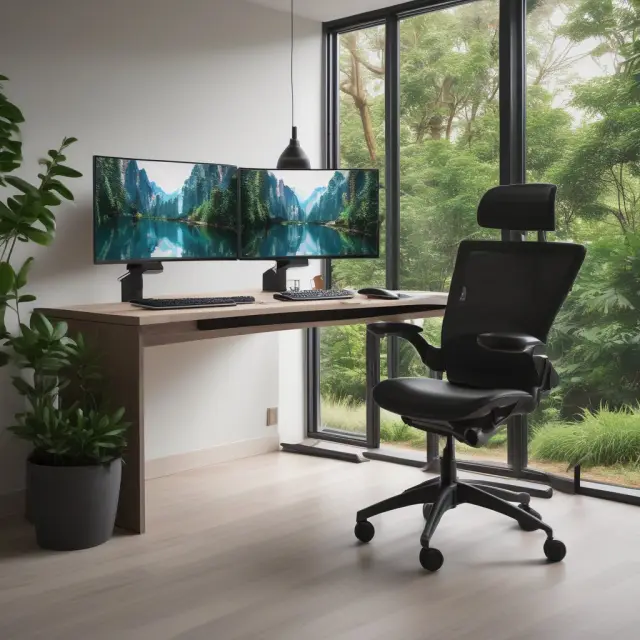
When setting up a home office, ergonomics should not be overlooked. Ergonomics refers to designing your workspace to maximize comfort and efficiency while reducing the risk of injury. Working from a home office long-term requires proper setup to avoid health issues that may impact productivity.
A comfortable chair is crucial for long hours spent at a desk. Adjustable chairs offer support in various postures, ensuring your back remains straight and your shoulders relaxed. For those with limited space or budget constraints, consider a floor pillow or an inflatable disk placed on the chair to provide adequate lower back support.
An ergonomic keyboard can prevent wrist strain, carpal tunnel syndrome, and other repetitive stress injuries. Adjustable keyboards accommodate different hand sizes and ensure proper typing posture. Furthermore, using an external mouse can alleviate pressure on your wrists and promote a healthy forearm position.
Proper monitor placement is essential for minimizing eye strain and potential headaches. Position the monitor at a comfortable viewing distance to prevent prolonged squinting or excessive blinking. Invest in a blue light filter for extended periods of screen use to reduce harmful effects on your eyes.
Adequate lighting is another crucial ergonomic consideration. Natural sunlight, if available, can improve mood and productivity while reducing eye strain. Alternatively, invest in an adjustable desk lamp or overhead light fixture to provide proper illumination for your workspace.
Properly positioning your monitor, keyboard, mouse, and chair is only the beginning of setting up a healthy and ergonomic home office. Regular breaks throughout the workday are essential for preventing stiffness and discomfort. Take short walks, stretch, or perform simple exercises to keep your body active during long work hours.
Incorporating plants into your workspace can help boost creativity and improve overall well-being. Studies have shown that indoor greenery can reduce stress levels, improve air quality, and even increase productivity. Placing a small potted plant on your desk or in a nearby corner can make your home office not only more ergonomic but also more visually appealing.
The importance of ergonomics should never be underestimated when designing a functional and productive home office. A well-designed workspace that caters to your physical needs can significantly enhance both comfort and long-term success, allowing you to focus on achieving your professional goals.

Common Challenges and Solutions for Working from Home
Transitioning to a home office can be an exciting yet challenging experience. While remote work offers numerous advantages such as time savings, improved work-life balance, and increased flexibility, it also comes with unique challenges. In this section, we delve into common hurdles faced by those working from home and explore practical solutions to help maintain productivity and focus.
1. Distractions: Working from home eliminates the noise of a traditional office setting but may introduce new distractions at home. Common distractions include family members, pets, household chores, or even the television. To combat these distractions, establish a dedicated workspace away from noisy areas and encourage open communication with family members about work schedules.
2. Isolation: Remote workers may struggle with feelings of isolation due to minimal face-to-face interactions. Engaging in regular virtual meetings and staying connected through professional organizations or networking can help alleviate these feelings. Additionally, setting up a routine for daily exercise and maintaining a healthy lifestyle can improve overall wellbeing and boost mood.
3. Maintaining Focus: Adjusting to a home office environment may require re-establishing work habits. Creating a consistent routine, implementing time management strategies such as the Pomodoro Technique or using productivity apps like Trello, and setting up a comfortable workspace can help maintain focus and improve overall efficiency.
4. Technology Challenges: Depending on your line of work, technology glitches may pose a significant challenge when working from home. Ensuring you have a reliable internet connection, investing in backup power sources, and being prepared with contingency plans for potential outages can help mitigate these issues.
5. Work-Life Balance: With the flexibility to set your own hours, it’s essential to maintain a healthy work-life balance to avoid burnout. Establishing clear boundaries between work and personal time and creating a daily routine that incorporates leisure activities can help ensure a sustainable workload.
By addressing these common challenges, remote workers can optimize their home office experience and maximize productivity. As more individuals and businesses transition to remote work, it’s essential to acknowledge the unique advantages and hurdles of this new work environment. By implementing practical solutions tailored to the individual’s needs, remote workers can reap the benefits of a home office while maintaining focus, increasing efficiency, and fostering a healthy work-life balance.

FAQs about Home Offices
What is a home office?
A home office refers to a space in a person’s residence exclusively used for official business purposes, whether they are self-employed or telecommuting for an employer. The IRS permits qualified taxpayers to claim a home office deduction and deduct certain home expenses when filing taxes.
Are all employees eligible for the home office deduction?
No, only self-employed individuals or independent contractors can claim this deduction, not employees of a company. However, employers may save costs by allowing their staff to work from home.
How does a home office benefit someone working remotely?
By eliminating the daily commute, an individual can save between $600 and $6,000 annually on travel-related expenses, such as gas or public transportation, and work attire. Additionally, having a flexible schedule can lead to improved work-life balance and overall health and wellness, benefiting both the employee and employer in terms of productivity and potential cost savings.
What is the difference between self-employment and working for an employer when it comes to a home office?
Self-employed individuals or independent contractors are eligible for the home office deduction if they meet specific IRS requirements, while employees cannot claim this benefit. However, their employers may save costs by allowing them to work from home.
Can a home office be used as a tax write-off?
Yes, with proper documentation and eligibility according to IRS guidelines, a portion of your home can qualify as a tax write-off for business expenses, including mortgage interest, rent, utilities, repairs, and maintenance.
Is it possible to have a separate structure on the property, like a barn or studio, used as a home office?
Yes, according to the IRS definition, if the primary use of that structure is a home office for business purposes, it could potentially be eligible for tax deductions under Form 8829.
What are the benefits for employers that allow employees to work from home?
Employers can save on overhead costs like rent, utilities, and office supplies by allowing their staff to work from home. Additionally, offering remote working opportunities may contribute to improved employee satisfaction, increased productivity, and reduced turnover rates.
 Next entry · No. 2,177Understanding Your Legal Home: The Impact on Taxes and Insurance
See also
-
 No. 2,533
14 Jan 2025
20 min
Understanding IRAs: A Comprehensive Guide to IRA Rollovers and Transfers
Retirement
No. 2,533
14 Jan 2025
20 min
Understanding IRAs: A Comprehensive Guide to IRA Rollovers and Transfers
Retirement -
 No. 5,499
14 Sep 2025
17 min
Virtual Assistants: Outsourcing Administrative Services Remotely
Business Strategy
No. 5,499
14 Sep 2025
17 min
Virtual Assistants: Outsourcing Administrative Services Remotely
Business Strategy -
 No. 5,492
13 Sep 2025
20 min
Video Conferencing: A New Era of Business Communication
Business Strategy
No. 5,492
13 Sep 2025
20 min
Video Conferencing: A New Era of Business Communication
Business Strategy -
 No. 2,745
31 Jan 2025
21 min
Understanding the Complexities of the Labor Market: Supply, Demand, and Beyond
Business Strategy
No. 2,745
31 Jan 2025
21 min
Understanding the Complexities of the Labor Market: Supply, Demand, and Beyond
Business Strategy -
 No. 2,670
25 Jan 2025
19 min
Maximizing Productivity and Efficiency: A Deep Dive into Kaizen
Business Strategy
No. 2,670
25 Jan 2025
19 min
Maximizing Productivity and Efficiency: A Deep Dive into Kaizen
Business Strategy -
 No. 2,294
25 Dec 2024
20 min
Understanding Idle Time: Minimizing Unproductive Hours in Finance and Investment
Business Strategy
No. 2,294
25 Dec 2024
20 min
Understanding Idle Time: Minimizing Unproductive Hours in Finance and Investment
Business Strategy