Understanding Gantt Charts: A Visual Project Management Tool for Professional Investors
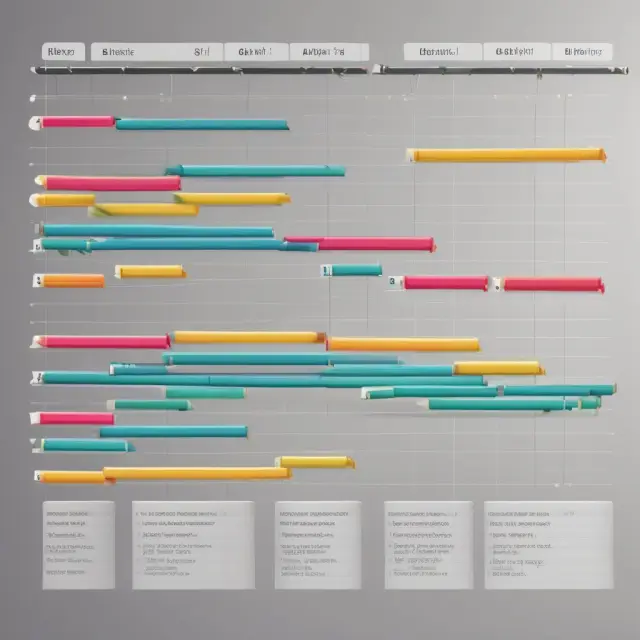
Learn about Gantt charts, a powerful visual tool for managing complex projects for professional investors. Discover the components, benefits, history, and FAQs.
Introduction
In project management, visualizing the complex nature of schedules, dependencies, and task progression can be an intricate process. However, one powerful tool that simplifies this task is the use of a Gantt chart – a dynamic, graphical representation of a project’s schedule. In this section, we delve into understanding what a Gantt chart truly represents, its origins, and the importance it holds in effectively managing projects.
What Is a Gantt Chart?
A Gantt chart is an essential visualization tool widely used within project management to depict a project’s schedule. Its primary purpose is to display tasks as horizontal bars along a timeline, helping us understand the sequence of tasks and their associated start and completion dates. This innovative chart was first introduced by American mechanical engineer Henry Gantt around the early 1900s.
Components of a Gantt Chart
A Gantt chart primarily consists of two dimensions: the horizontal axis (representing time) and the vertical axis (representing tasks). Each task within a project is displayed as a horizontal bar, with the length of the bar representing the duration or estimated effort required to complete that particular task. As we move along the timeline, we can easily observe the progression of each task towards completion.
The Importance and Role of Gantt Charts in Project Management
Gantt charts bring several key benefits when employed in project management:
- Scheduling: By providing an overview of all tasks within a project and their corresponding start and end dates, Gantt charts facilitate planning and scheduling efforts.
- Resource allocation: The visual representation of task dependencies helps to optimize resource allocation by ensuring that tasks are executed efficiently based on their interrelationships.
- Monitoring progress: Gantt charts enable project managers to monitor the progression of tasks and identify any potential delays, thereby facilitating proactive corrective actions when required.
- Communication: The clear and concise display of task information within a Gantt chart aids in effective communication among team members and stakeholders regarding project status.
- Flexibility: As projects evolve, changes can be easily incorporated into the Gantt chart to reflect updated schedules and task priorities.
The Power of Gantt Charts Across Industries
Gantt charts have proven their mettle in various industries, from heavy construction to software development, and beyond. Their versatility and adaptability make them an indispensable component within the project management toolkit.
In conclusion, a Gantt chart is more than just a graphical representation of a project’s schedule; it’s a powerful tool that assists in planning, executing, and monitoring complex projects while optimizing resources and ensuring effective communication among team members and stakeholders alike. The origins of this visual powerhouse can be traced back to the pioneering efforts of Henry Gantt over a century ago, and its continued relevance today is a testament to its unparalleled value in project management.

What is a Gantt Chart?
A Gantt chart is an essential tool used in project management that provides a visual representation of a project schedule. It was first introduced by Henry Gantt, an American mechanical engineer, around a century ago, and remains the most popular charting method in this field today.
A Gantt chart represents a project’s tasks as horizontal bars displayed on a time scale, with the length of each bar reflecting the duration of the respective task. These charts are widely used in industries such as heavy construction, software development, and other business projects to manage complex timelines and dependencies between different elements.
The primary function of a Gantt chart is to display the start and end dates for tasks within a project, making it easy to monitor progress, plan resources effectively, and identify potential bottlenecks. With its clear visualization of task sequences and durations, a Gantt chart allows project managers to communicate the project status to stakeholders and ensure that everyone remains aligned with the overall timeline.
The essential components of a Gantt chart include tasks, bars, milestones, and dependencies:
- Tasks: Each horizontal bar in a Gantt chart represents an individual task within the project, which can be assigned specific start and end dates and estimated durations.
- Bars (Horizontal): The bars represent the time duration for each task, with their length corresponding to the estimated completion time. As work progresses on a task, the bar is filled in proportion to the percentage of completion.
- Milestones: Milestones mark significant achievements or events within a project, often represented as vertical lines or circles on the chart. These may include important deadlines, critical phases, or deliverables that need to be completed before moving onto the next stage.
- Dependencies: A Gantt chart can also illustrate dependencies between tasks, such as those that cannot start until a previous task is finished (finish-to-start) or those with overlapping durations (concurrent). This information helps project managers identify potential bottlenecks and optimize their schedules accordingly.
In the following sections, we will explore how Gantt charts can be utilized to manage projects effectively, the benefits they offer, and various techniques for creating and customizing your own chart.
Components of a Gantt Chart
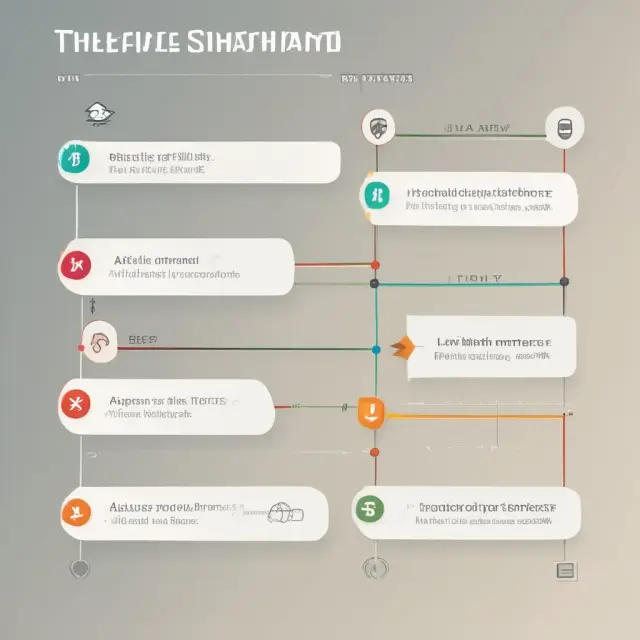
A Gantt chart, first introduced by American mechanical engineer Henry Gantt around the 1910s, is an essential visualization tool in project management. This graphical representation illustrates the progression of tasks within a project through horizontal bars on a timeline. The primary components of a Gantt chart are tasks, milestones, and the timeline.
Tasks: The vertical axis of a Gantt chart represents various tasks involved in a project. Each task is represented as a vertical bar extending from the start date to the end date, providing an overview of the duration for each activity. Tasks can be organized in various sequences such as parallel and dependent. Parallel tasks are those that don’t depend on completion of other tasks to start, while dependent tasks must wait until their preceding task is completed before they can begin.
Milestones: Milestones represent significant achievements or events within the project, marked along the horizontal axis. They help in tracking progress towards specific goals and can be set up as checkpoints for monitoring a project’s overall status. The successful completion of milestones signifies that certain stages have been achieved, enabling the team to move onto the next phase of the project.
Timeline: The timeline, represented by the horizontal axis, displays the duration from the start to end of the project and individual tasks. Each task’s horizontal bar length corresponds to its duration, allowing stakeholders to see the progress made over time. By understanding how long it takes for each task to be completed, project managers can plan resources effectively and allocate them accordingly, ensuring that deadlines are met efficiently.
Understanding these components of a Gantt chart provides valuable insights into managing and monitoring projects. By visualizing the project’s timeline and the sequence of tasks, stakeholders gain a clear perspective on progress, dependencies, and overall project status. This information can then be used to make data-driven decisions that positively impact the success of the project.
Gantt Chart’s Role in Project Management
A Gantt chart is an essential tool for managing projects efficiently by providing an accurate and clear visual representation of a project’s timeline, including task sequences, dependencies, durations, start and end dates, and progress. This graphical depiction enables project managers to effectively schedule resources, monitor progress, and manage multiple tasks simultaneously.
The primary function of a Gantt chart is to illustrate the project schedule, with tasks appearing as horizontal bars on the chart. Each bar’s length corresponds to the duration of the task, allowing project managers to quickly assess the progress of each task and understand how they relate to one another in terms of dependencies and sequences.
In project management, Gantt charts serve several crucial purposes:
1. Scheduling: A Gantt chart displays the planned start and end dates for every task within a project, ensuring that tasks are executed in the correct order and that resources are allocated efficiently. This helps to maintain the overall project schedule and meet deadlines.
2. Managing Resources: By displaying task durations and dependencies, project managers can allocate resources effectively and minimize overallocation or underutilization of staff, equipment, or other resources. Additionally, they can identify potential bottlenecks and adjust resource availability accordingly to maintain optimal productivity levels.
3. Monitoring Progress: As tasks progress, the length of their corresponding bars in the Gantt chart change to reflect actual completion percentages, allowing project managers to monitor project status at a glance. This enables them to take prompt action if required to keep projects on track and address any issues before they escalate.
Given the numerous benefits, it is no surprise that Gantt charts are widely used across industries, from heavy construction for projects like building dams, bridges, and highways, to software development, marketing campaigns, and various other industries where managing complex projects with multiple tasks and deadlines is essential. In summary, a well-designed and effectively managed Gantt chart is an indispensable tool for project managers looking to optimize resource allocation, monitor progress, and ensure successful project delivery.
Benefits of Using a Gantt Chart
A Gantt chart is not just an elegant visualization of a project’s schedule; it is an essential tool for professional investors and project managers that provides several advantages. Let’s explore some of the benefits of using a Gantt chart:
1. Task Prioritization: A well-designed Gantt chart makes it easy to identify tasks that need immediate attention and those which can be scheduled later. By visualizing the dependencies between different tasks, you can prioritize your efforts accordingly, ensuring resources are allocated effectively towards critical tasks.
2. Detection of Potential Bottlenecks: The interconnected nature of tasks within a project often leads to potential bottlenecks that could impact overall progress. A Gantt chart provides valuable insights into the project’s workflow and helps identify these bottlenecks early, allowing for proactive measures to mitigate their effects before they escalate.
3. Clear Communication: In project management, communication is crucial. Gantt charts enable you to convey complex project information succinctly. By visually illustrating task dependencies, timelines, and progress, stakeholders gain a comprehensive understanding of the project’s status at a glance. This can help build trust, reduce miscommunications, and maintain overall alignment within the team.
4. Simplified Project Planning: Creating a Gantt chart is an integral part of planning a project. It allows you to schedule tasks based on their dependencies and deadlines, providing a clear roadmap for achieving your goals. The visual representation facilitates better understanding of complex projects and makes it easier to identify potential issues before they arise.
5. Improved Resource Management: A Gantt chart offers an unparalleled perspective on resource allocation within a project. By mapping out tasks and their associated resources, you can identify any potential over- or underutilization. This enables you to make informed decisions about how best to allocate resources, optimize workflows, and achieve the desired outcomes more efficiently.
In conclusion, a Gantt chart is an indispensable tool for professional investors and project managers. By offering benefits like task prioritization, detection of potential bottlenecks, clear communication, simplified project planning, and improved resource management, it helps ensure that projects are executed on time and within budget while delivering the desired results.

Creating a Gantt Chart: Tools and Techniques
Gantt charts have proven their worth as an essential tool for managing projects, allowing users to visualize the timeline of a project and its individual components with ease. Creating a Gantt chart can be done using specialized software or spreadsheet applications like Microsoft Project, Excel, or Google Sheets. In this section, we’ll explore different methods to create and customize a Gantt chart to fit specific projects.
Software Tools for Creating Gantt Charts
- Microsoft Project: A comprehensive project management software that includes powerful features like resource allocation, scheduling, and reporting, making it an ideal choice for larger-scale projects.
- Excel: Microsoft Excel offers a range of chart types, including a built-in Gantt chart template. Although limited in some functionalities compared to dedicated project management software, it’s a popular choice due to its flexibility and affordability for smaller projects or budget constraints.
- Google Sheets: Similar to Excel, Google Sheets offers a Gantt chart add-on (available under the “Add-ons” menu). This free solution is suitable for managing simple projects and can be accessed from any device with an internet connection.
Creating a Gantt Chart in Microsoft Project
- Start by creating a new project, then input tasks, dependencies, start and end dates, and resource assignments.
- Switch to the “Gantt chart” view to visualize your project timeline with bars representing each task’s progress.
- Customize the appearance and layout of the Gantt chart by applying various themes, filters, and table styles as needed.
Creating a Gantt Chart in Excel
- Import a Gantt chart template or create one from scratch using formulas like IF, AND, and INDEX to calculate start and finish dates based on input data.
- Create the vertical axis for tasks, while the horizontal axis represents the project timeline.
- Format the bars representing tasks with different colors, conditional formatting, and other visual cues to easily identify their status.
Creating a Gantt Chart in Google Sheets
- Import or create a spreadsheet with task information such as start and end dates, dependencies, and resource assignments.
- Use the “Add-ons” menu to install and connect the Gantt chart add-on.
- Customize the appearance of your Gantt chart using various themes, colors, and chart styles to make it visually appealing and easy to read.
With these tools and techniques at your disposal, you can create a customized and effective Gantt chart for any project, whether it’s a small-scale software development task or a large-scale infrastructure project.
Example of a Gantt Chart in Practice
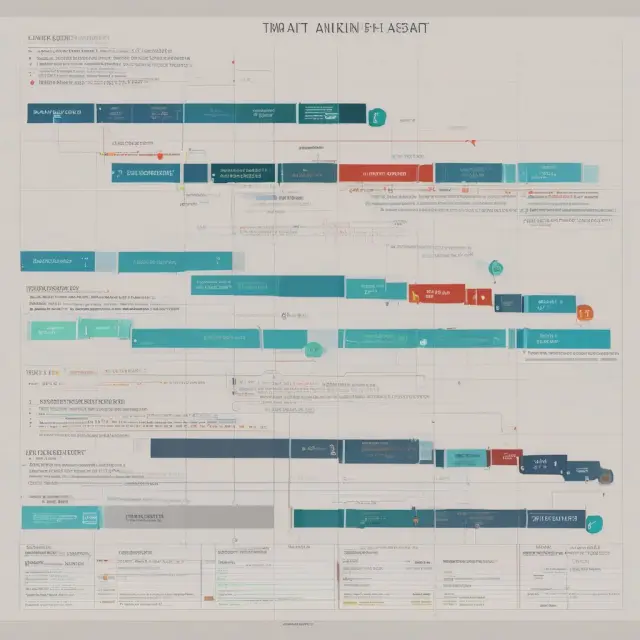
Gantt charts provide an effective visualization tool for managing projects by representing task sequences, durations, and dependencies within a project’s timeline. Let us explore how this powerful planning mechanism is applied through the example of a software installation project undertaken by Company A for a large investment bank.
Company A, taking on a new project to install updated software on the investment bank’s servers, creates a Gantt chart as part of their project management strategy. The tasks involved in this project include researching potential software options, testing, and installation. Each task is shown as a vertical line on the chart, while milestones are marked by horizontal bars on the timeline.
The software selection process serves as a critical milestone within the project, signifying its importance for the overall success of the endeavor. With a total project duration of 40 days agreed upon between Company A and the investment bank, each task is scheduled with a duration of ten days. The tasks are also interdependent; one cannot begin until the previous task has been completed.
The Gantt chart displays the tasks’ start and end dates along the horizontal axis, while their progress is denoted by the length of the corresponding bars on the vertical axis. This clear visual representation helps Company A monitor the project’s progress and allocate resources accordingly to keep everything on track.
A crucial activity in this project, testing the software in both development and test environments, is represented by a longer bar towards the middle of the chart, illustrating its extended duration and importance. The Gantt chart also provides a snapshot of the percentage of task completion for each phase, ensuring all stakeholders are aware of the current status.
In conclusion, the application of a Gantt chart in managing this software installation project provides Company A with an essential tool for organizing tasks, allocating resources, and keeping track of progress towards successful completion within the agreed-upon timeline.
Gantt Chart’s Application in Project Management Industries
A Gantt chart is an essential tool for managing projects and schedules in industries where complex undertakings are commonplace, including heavy construction and software development. This section will delve deeper into the application of this versatile project management technique in these specific industries.
Heavy Construction
In heavy construction sectors like infrastructure, dams, bridges, highways, or building projects, Gantt charts play a pivotal role in managing complex projects with multiple tasks and stakeholders. The chart’s visual representation of tasks, durations, dependencies, and milestones is invaluable for project managers in the heavy construction industry. They can effectively allocate resources, monitor progress, and manage schedules to ensure timely completion of large-scale projects.
Software Development
The software development industry is another sector where Gantt charts excel. In this fast-paced and dynamic field, managing dependencies among various tasks and ensuring on-time delivery are critical. Software development projects often involve numerous interconnected components, making the visual representation of task sequences, durations, and milestones offered by a Gantt chart an indispensable asset for project managers. By utilizing Gantt charts to manage software development projects, teams can effectively plan, schedule, and execute their tasks to meet deadlines while minimizing delays caused by dependencies or unforeseen circumstances.
Case in point: A team of developers working on a large-scale enterprise application must ensure all aspects are completed within a tight deadline. They create a detailed Gantt chart outlining the development process, testing schedules, and milestones for each feature release. This visual representation provides transparency to stakeholders while allowing the development team to manage dependencies between tasks effectively. The Gantt chart enables them to make informed decisions about resource allocation and prioritization based on the project’s timeline and progress.
In conclusion, a Gantt chart is an essential tool for managing projects in various industries, including heavy construction and software development. Its ability to visualize task sequences, manage dependencies, allocate resources, monitor progress, and ensure on-time completion makes it a valuable asset for project managers across sectors. By using a Gantt chart, teams can effectively plan, execute, and deliver complex projects on schedule while ensuring all stakeholders are informed and aligned throughout the process.
The Origin of Gantt Charts: Henry Gantt
Henry Gantt (1861-1919), an American mechanical engineer, is renowned as the inventor of the widely used project management tool – the Gantt chart. Gantt’s innovative approach to project management revolutionized the way industries planned and executed complex projects, particularly in the early 20th century.
Henry Gantt was born on July 9, 1861, in New York City, where he studied mechanical engineering at Columbia University. After graduating with a degree, he began his career as an engineer, working for various companies before focusing on management consulting. In the late 1800s and early 1900s, Gantt dedicated much of his time to scientific management, which aimed to streamline production processes and improve overall efficiency in industries.
During this period, Gantt created a method for visualizing project schedules called the Gantt chart. The first known use of the term “Gantt chart” was in 1917 when it appeared in an article written by Gantt himself, titled “Measuring Work: The First Step Toward Its Scientific Management.” This innovative tool brought clarity and structure to project management by representing tasks as horizontal bars, indicating progress over time along the x-axis.
Gantt’s chart was particularly valuable in industries dealing with large projects that required meticulous planning, coordination, and execution. The use of Gantt charts became widespread across various sectors like construction (building dams, bridges, and highways), software development, and other service-oriented businesses.
Gantt’s background as an engineer and his focus on efficiency and productivity significantly impacted the creation of this project management tool. The Gantt chart allowed stakeholders to visualize project timelines, identify critical paths, manage resources effectively, and monitor progress efficiently. Today, it remains a cornerstone of modern project management techniques.
The ability to understand the origins of tools like the Gantt chart is essential for professional investors looking to optimally manage their investments in various industries. By knowing the background and the pioneers behind these tools, you can make more informed decisions and create strategies that maximize potential returns.
FAQs about Gantt Charts
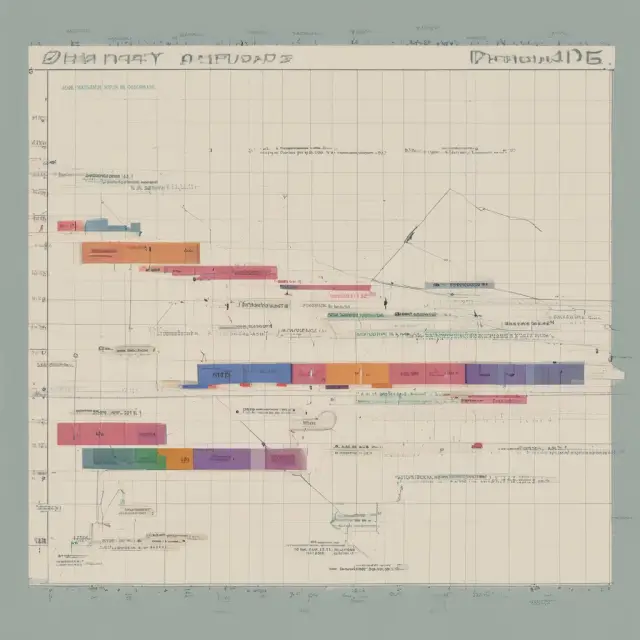
Gantt charts are a popular tool in project management and offer numerous benefits for organizing and managing projects. In this section, we address some of the most frequently asked questions regarding these essential visualizations.
**1. What is the origin of Gantt charts?**
A Gantt chart was created by Henry L. Gantt, an American mechanical engineer, around the 1910s. This powerful tool gained widespread use during World War I as a means to manage and visualize complex projects in manufacturing industries.
**2. What are the primary components of a Gantt chart?**
The essential elements of a Gantt chart consist of activities or tasks along the vertical axis, milestones or progress stages on the horizontal axis, and progress bars, represented as horizontal bars, illustrating how far each task has advanced at any given point.
**3. What industries commonly use Gantt charts?**
Gantt charts have proven particularly useful for managing projects in a diverse range of industries such as heavy construction (building dams, bridges, and highways), software development, and technology. The visual nature of this tool makes it an ideal solution to manage tasks and dependencies effectively.
**4. What advantages does a Gantt chart offer?**
Using a Gantt chart comes with several benefits, including:
– Better task prioritization and scheduling
– Clear identification of potential bottlenecks
– Effective communication of project status and completion rates to stakeholders
– Improved overall control over projects and resources
**5. How do I create a Gantt chart?**
Creating a Gantt chart involves several steps, including defining tasks and dependencies, setting start and end dates, and assigning resources. Several tools can help you design a Gantt chart, including Microsoft Visio, Project, SharePoint, Excel, as well as specialized software like Gantto or Matchware.
**6. Can I use a Gantt chart for small projects?**
Absolutely! A Gantt chart’s utility is not limited to large-scale projects; it can be effectively used for smaller projects as well. The flexibility of this visualization tool allows project managers to manage tasks, set deadlines, and monitor progress for projects of all sizes.
 Next entry · No. 1,737Understanding Gap Analysis: A Comprehensive Guide for Institutional Investors
See also
-
 No. 5,716
01 Oct 2025
17 min
The Whoops Debacle: A Case Study in Government-Led Nuclear Projects Gone Wrong
Business Finance
No. 5,716
01 Oct 2025
17 min
The Whoops Debacle: A Case Study in Government-Led Nuclear Projects Gone Wrong
Business Finance -
 No. 5,331
30 Aug 2025
18 min
Understanding Upgrades: What They Mean, How They Impact Investments, and Their Importance in Finance
Business Finance
No. 5,331
30 Aug 2025
18 min
Understanding Upgrades: What They Mean, How They Impact Investments, and Their Importance in Finance
Business Finance -
 No. 5,600
22 Sep 2025
16 min
Understanding War Economies: Prioritizing National Security Amidst Conflict
Economics
No. 5,600
22 Sep 2025
16 min
Understanding War Economies: Prioritizing National Security Amidst Conflict
Economics -
 No. 1,741
30 Oct 2024
20 min
Garage Liability Insurance: Understanding the Essentials for Automotive Businesses
Business Finance
No. 1,741
30 Oct 2024
20 min
Garage Liability Insurance: Understanding the Essentials for Automotive Businesses
Business Finance -
 No. 1,740
30 Oct 2024
20 min
Understanding Gapping: Types, Causes and Trading Strategies in Finance
Business Finance
No. 1,740
30 Oct 2024
20 min
Understanding Gapping: Types, Causes and Trading Strategies in Finance
Business Finance -
 No. 1,739
30 Oct 2024
21 min
Understanding Gap Insurance: Protecting Against Financial Losses in Auto Financing
Business Finance
No. 1,739
30 Oct 2024
21 min
Understanding Gap Insurance: Protecting Against Financial Losses in Auto Financing
Business Finance